Hello guys! few weeks ago i posted how to root your android devices in which i have mentioned several popular methods for android rooting but there are cases in which all those methods failed to root.Click here if want to read that post
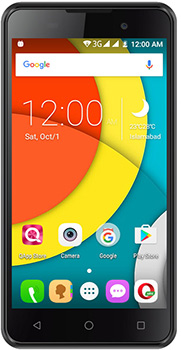
Now Qmobile X700 pro 2 is one of those phones in which all the methods failed.I tried every thing to root this phone but its so persistent that at a point i thought its impossible to root it.
But than i discovered a methods that actually worked and i successfully rooted this phone
Before going any further please make sure you know every thing about rooting Click here to get a complete guide on Rooting
Requirments
- Qmobile X700 PRO ||
- 50 - 100 percent charged
- PC or laptop
- Internet connection
- WinRar for extraction
- SP Tool for flashing Download here
- Root package Download here
Method
So the method we will use is the modification of flashing SuperSU.zip however in our case we will no use any SuperSU.zip
download the package and extract it copy the magisk.zip file to the internal storage of your phone.

install the SpTool flash and run the program by double clicking on the flast_tool.exe

install the SpTool flash and run the program by double clicking on the flast_tool.exe


make sure the scatter file you have selected is the same placed in the root package you just d downloaded
Than click on the download button and connect your phone to PC or laptop.Make sure that your device drivers are installed in the laptop or PC and also install the PDA drivers.if you don't know how to do it than give a quick search in google.
If you installed the drivers correctly than a progress bar will appear and it will start flashing the custom recovery in your phone after that a green circle will appear.
now boot your phone to recovery mod by pressing vol up + power button and select update from sd card and than select the magisk.zip file and flash it. reboot your phone and you will have root access
also majisk app will be installed automatically don't uninstall it or you will lose root access


Bro whats recovery is twrp or cwm?
ReplyDeleteits cwm i have prepared a twrp as well but the touch screen isnt working...so i guess for this device cwm is the best option
DeleteThis recovery is not working properly. its Wiped out after restart
ReplyDeleteits actually not the problem of recovery its the security of the device.make sure that after flashing recovery you entered in the recovery mode atleast once before reeboot...and than after flashing the majisk.zip file you reboot the device from the recovery
ReplyDeletealso if it ask you to install su while rebooting select no or else you will lost root before you even reboot.
You should have mentioned this in your org. blog. Why skip such an important step. U r putting others phone at risk.
Deletewhat the fuck... recovery to gye per mobile on bhi ni ho raha ... kya he ye.
Deleterestarting org file flash ker k on hua ...
BC SAALA
Qmobile black two
ReplyDeleteQmobile s8
Qmobile a1
Qmobile Specs
Bro root package file damage hai yar, plz help.
ReplyDeleteSir jese ap ne video me bataya hai me ne isi trha kr ke dhekha lekin jab voleum up botton + Power botton dabata hon to wahi purani recovry aati hai jo qmobile x700 pro 2 ki orginol hai
ReplyDeleteagr reboot k time app ko koi option mile k "do you want to keep root system/xbin/su"... to No press ker lain app ka kaam ho jaye ga... give it a try
Deleteafter flashing successfully magisk i didt get any magisk app or root access.
ReplyDeleteagr reboot k time app ko koi option mile k "do you want to keep root system/xbin/su"... to No press ker lain app ka kaam ho jaye ga... give it a try
DeleteThis is an incomplete blog. U should have given the link to its drivers and mention specifically to reboot the device from the relevant recovery menu. My advise to others is not to experiment with this phone as the info given here is dubious and incomplete.
ReplyDelete